Assistive technology for dyslexia is often described as a set of helpful tools, but that description is too broad to guide a real decision. For students, families, educators, and adults with dyslexia, the better question is not “What tools exist?” but “Which tools reduce the most friction in daily reading and learning?”
That distinction matters because many lists treat all assistive tools as equally valuable. In practice, they are not. Some improve access immediately. Others look promising but add complexity without solving the user’s hardest problem.
This guide focuses on decision-making value: what assistive technology for dyslexia includes, which categories matter most, where they help, where they fall short, and how to choose a setup that works in real life.
Assistive technology for dyslexia refers to digital tools that help users access written information, reduce reading strain, improve writing support, or manage learning tasks more effectively. The technology does not remove dyslexia itself. What it can do is lower the effort required to complete tasks that would otherwise take much more time, energy, or confidence.
The most useful categories often include:
text-to-speech tools
speech-to-text or dictation tools
spelling and writing support
reading overlays or visual formatting tools
note-taking and study support apps
organization tools for managing assignments and reading loads
Not every user needs all of these. The best setup usually starts with the most painful bottleneck.
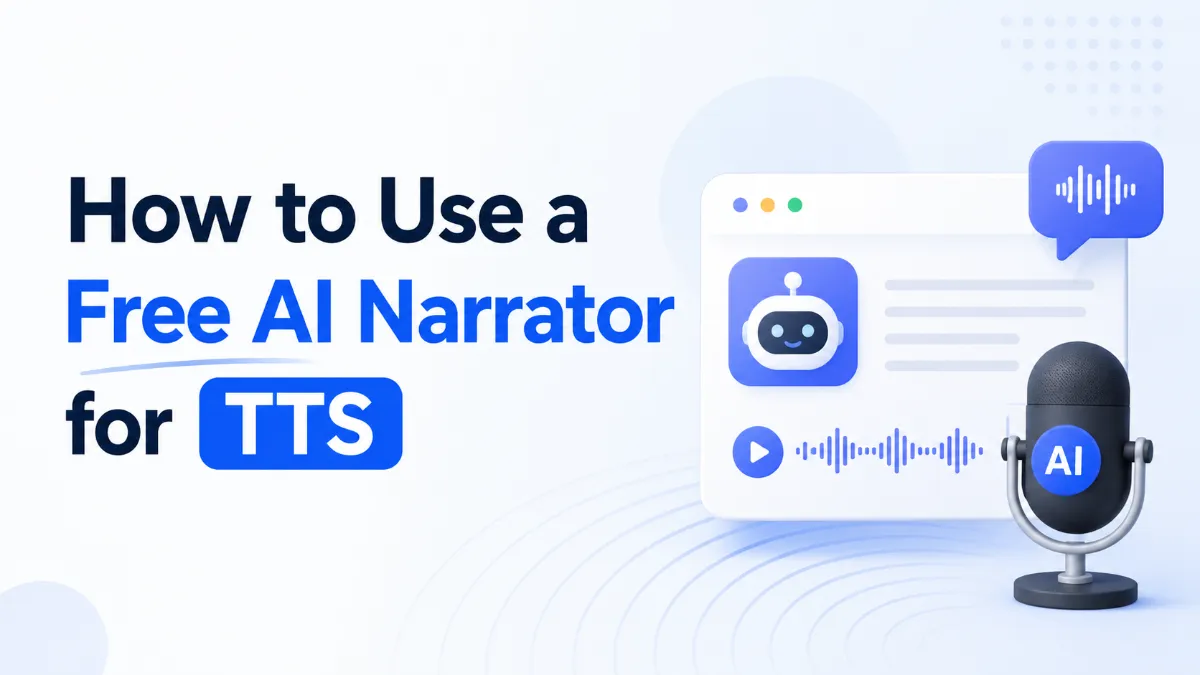
Among all assistive technology categories, text-to-speech often delivers the fastest practical benefit for people with dyslexia.
Reading difficulty is not only about speed. It is also about the effort needed to decode, retain, and move through text. Hearing content aloud can reduce that load and free up more attention for understanding the meaning.
The longer the material, the more fatigue matters. Text-to-speech can help users stay with chapters, articles, worksheets, and study notes longer than they might through visual reading alone.
A tool is more valuable when it helps users revisit material without starting from zero each time. Listening is especially useful for repeated review, homework preparation, and studying on the move.
Some users benefit most when they can see and hear text together. That combination can make content feel less overwhelming and more accessible.
Instead of evaluating tools by brand popularity or feature count, choose by task.
User need | Best-fit tool type | Why it helps | Common limitation |
Trouble getting through long reading | Text-to-speech | Reduces reading fatigue and supports comprehension | Weak tools may sound robotic or feel clumsy to use |
Difficulty expressing ideas in writing | Speech-to-text | Helps users get thoughts down faster | Requires editing and may struggle with precision |
Spelling and sentence-level errors | Writing support tools | Improves drafting confidence and revision speed | Does not solve reading overload |
Trouble managing assignments and review | Study and organization apps | Reduces cognitive load around planning and repetition | Helps workflow more than direct reading access |
Need support across several learning tasks | Combined workflow | Matches tools to the real bottlenecks | Requires choosing carefully instead of assuming one tool does everything |
Students often need help with reading volume, assignment comprehension, and repeated review. In that context, text-to-speech and study support tools usually offer the strongest immediate value because they make school material more accessible without requiring the student to manually simplify everything.
Older students often face heavier reading loads and more independent study. That makes workflow especially important. A tool that can convert saved text, notes, or study documents into listenable material often becomes more useful than a narrow accommodation tool used only in one classroom setting.
This is where AI Listen fits naturally. For learners dealing with reading fatigue or information overload, it helps turn written material into something easier to review and revisit.
Adults with dyslexia may need support for reports, professional reading, workplace documents, certifications, or ongoing training. Here, the most useful technology is often the one that reduces friction quietly and consistently rather than drawing attention to itself.
More features do not automatically mean more help. If the tool does not reduce the user’s hardest task, the extra functionality does not matter much.
It is not. Voice quality, ease of use, replay controls, and how well the tool fits into study routines all affect whether the user will actually return to it.
Many users need more than one kind of support. A reading tool may solve access, while another tool helps with writing or organization. The goal is not minimalism for its own sake. It is a workable system.
A tool can be effective on paper and still fail if it feels awkward, stigmatizing, or too complicated to use consistently. Adoption matters as much as features.
A useful setup starts by asking three questions:
Is the main issue reading long passages, getting through homework, expressing ideas in writing, or reviewing information repeatedly? That answer should shape the first tool choice.
The best tools support recurring tasks. If the user faces long reading assignments every week, text-to-speech may create more value than a tool used only occasionally.
This is the most overlooked question. A simpler tool used daily is usually more helpful than a powerful one that gets abandoned after setup.
AI Listen makes the most sense when the challenge is not just reading access, but sustained review. For students and heavy readers, it supports a more practical pattern: converting written material into audio that can be revisited with less screen strain and less friction.
That makes it especially relevant for:
study-heavy users
learners who review material multiple times
readers who benefit from hearing and seeing content in combination
people who need a more sustainable reading habit, not just a one-time accessibility feature
Assistive technology for dyslexia works best when it solves a specific barrier instead of trying to solve everything at once. For many users, text-to-speech is the strongest starting point because it improves access, reduces fatigue, and supports repeated review across school, work, and daily reading.
The right setup is not the one with the longest feature list. It is the one that makes hard tasks easier often enough to change the user’s routine. If listening support is part of that routine, especially for students and heavy readers, AI Listen is a practical option to consider.