How to Turn Off Text to Speech in Minecraft (Java, Bedrock, Xbox, PS5, Switch)
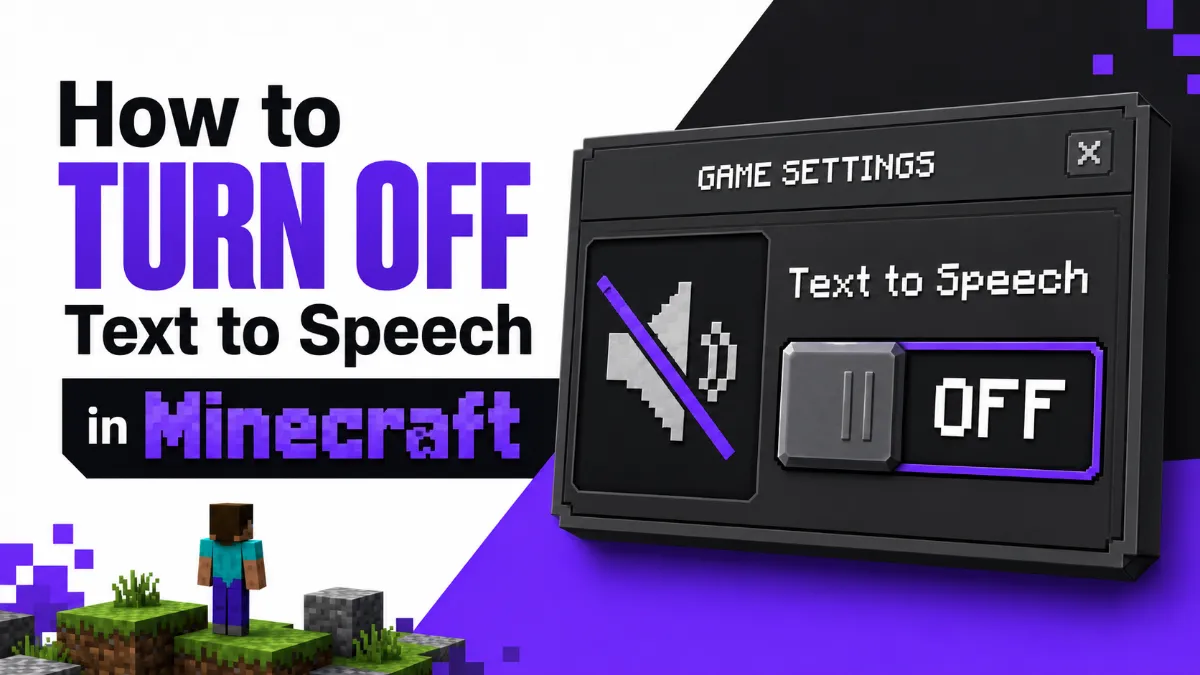
Minecraft's narrator reads everything out loud — and it's easy to trigger by accident. This guide shows you how to turn off text to speech in Minecraft across every platform: Java Edition, Bedrock Edition, Xbox, PS5, and Nintendo Switch.
Julian Sterling
AI Content Strategist
July 1, 2026
5 min read
In This Article
Why Minecraft Text to Speech Turns On Accidentally
How to Turn Off TTS in Java Edition (Ctrl+B Shortcut)
If you've suddenly got a robotic voice reading every menu item aloud in Minecraft, you've accidentally triggered the game's built-in narrator. It happens more often than you'd think — one stray keypress or an unexpected settings reset and the narrator is on full blast. The good news: it takes about ten seconds to fix on any platform.
(Looking for TTS that you actuallywant?AI Listenlets you listen to articles, documents, and web pages with natural-sounding voices — handy for content you'd rather hear than read. That's a very different use case from Minecraft's accessibility narrator, which we're here to turn off.)
Why Minecraft Text to Speech Turns On Accidentally
Minecraft's narrator is triggered by a single keyboard shortcut with no confirmation dialog. On Java Edition, pressingCtrl+Btoggles the narrator on and off instantly. If you hit that combination while typing in chat or adjusting controls, the narrator activates immediately.
On Bedrock Edition, the narrator reads UI elements and follows the device's system accessibility settings. A game update, a new controller connection, or signing into a different profile can occasionally flip this setting without any warning.
Console players can run into the same issue when the platform's system-level screen reader gets enabled — often while exploring accessibility menus or sharing the console with another user.
How to Turn Off TTS in Java Edition (Ctrl+B Shortcut)
The fastest fix for Java Edition is a single keystroke.
Make sure Minecraft is the active window.
PressCtrl+B.
The narrator will announce "Narrator disabled" and stop reading. That's it.
If Ctrl+B doesn't work (common on laptops where the function keys are mapped differently), tryCtrl+Fn+B.
Quick Tip: On Java Edition, pressing Ctrl+B while in-game is the fastest fix — it toggles the narrator off instantly without opening any menu. If you're on a laptop, try Ctrl+Fn+B if Ctrl+B doesn't respond.
Bedrock Edition (Windows, mobile, consoles via the Bedrock client) has its own accessibility setting separate from the system narrator.
Open Minecraft and go toSettings(the gear icon on the home screen).
Scroll down and select theAccessibilitytab.
FindText to Speech for UIand toggle itOff.
Exit settings — the change applies immediately.
If the toggle is already off but the narrator is still reading, check your device or console's system-level accessibility settings (covered below for each platform).
How to Disable Narrator on Xbox
On Xbox, Minecraft Bedrock follows the system narrator setting. Disabling it here turns it off for all apps, including Minecraft.
Option 1 — Via Settings:
Press the Xbox button to open the guide.
Go toProfile & system→Settings.
SelectAccessibility→Narrator.
ToggleNarratortoOff.
Option 2 — Keyboard shortcut:
Hold theXbox button+ pressAsimultaneously. This toggles the narrator on or off instantly.
How to Disable Screen Reader on PS5
On PS5, Minecraft uses the system screen reader. Turning it off affects all PS5 apps.
From the PS5 home screen, openSettings(the gear icon).
Go toAccessibility.
SelectScreen Reader.
ToggleEnable Screen ReadertoOff.
Return to Minecraft — the narrator should be silent.
How to Turn Off TTS on Nintendo Switch
Nintendo Switch uses a system accessibility feature calledSwitch Accessor narration depending on the system version. Minecraft Bedrock respects these settings.
From the Switch home screen, openSystem Settings(the gear icon).
Scroll down toSystem.
SelectAccessibility→ZoomorNarrationdepending on your Switch firmware version.
Disable the narration or screen reader toggle.
If you're on an older firmware, the path may beSystem Settings→System→Language & Regionarea — look for any active accessibility toggle.
Ensure Minecraft is the focused window (click on it first).
On laptops, try Ctrl+Fn+B.
If the narrator is still on, use the in-game Options → Accessibility Settings menu and set Narrator to Off manually.
Bedrock Edition — toggle is off but voice continues:
The system narrator (Windows Narrator, Xbox narrator, etc.) may be running independently. Check OS-level accessibility settings.
On Windows, pressWindows + Ctrl + Enterto toggle Windows Narrator off.
Console — steps completed but narrator resumes after restart:
Some consoles save per-user accessibility profiles. Make sure you're signed into the correct account when disabling the setting.
On Xbox, check whether a child account or family profile has accessibility settings locked.
Voice is from a mod or resource pack:
Some mods add their own TTS functionality. Check your installed mods or resource packs and disable any that reference voice or narration.
Once the narrator is off, Minecraft should be completely silent again — no more voice reading menus or chat messages. If you everdowant a TTS tool for reading long-form content outside of games,AI Listenis worth bookmarking.
How do I turn off text to speech in Minecraft Java Edition?
Press Ctrl+B while in-game to toggle the narrator off immediately. Alternatively, go to Options → Accessibility Settings and set Narrator to Off.
How do I turn off text to speech in Minecraft Bedrock Edition?
Open Settings, go to the Accessibility tab, and turn off the Text to Speech for UI toggle.
Why did Minecraft narrator turn on by itself?
You likely pressed Ctrl+B accidentally — it's a single-keystroke toggle with no confirmation prompt. On Bedrock, switching device or updating the game can sometimes reset accessibility defaults.
How do I disable the narrator on Xbox while playing Minecraft?
Press the Xbox button, go to Profile & system → Settings → Accessibility → Narrator and toggle it off. Alternatively, hold down the Xbox button and A simultaneously as a shortcut.
Can I turn off TTS only in Minecraft without affecting my console settings?
On Java Edition, yes — Ctrl+B or the in-game Accessibility menu only affects Minecraft. On Xbox and PS5, the narrator is a system-level setting that applies across all apps.
How do I disable screen reader on PS5 for Minecraft?
Go to the PS5 Settings menu → Accessibility → Screen Reader and turn it off. This disables the narrator system-wide, including in Minecraft.
TTS
Tutorials
Tips & Tricks
Share this article:
Table of Contents
Why Minecraft Text to Speech Turns On Accidentally
How to Turn Off TTS in Java Edition (Ctrl+B Shortcut)
Struggling with ADHD reading drift? This guide shows fast environment fixes, chunked reading, recall questions, and a review step that improves retention.
Learn the meaning of text to speech, how TTS works, what makes voices sound natural, key benefits and limits, and how to choose the right tool for your workflow.
A good text to speech test is not just about voice quality. This guide shows what to listen for, how to compare tools, and which features matter for real-world use.
Neural text to speech has changed what synthetic voice can sound like in real-world use. This guide explains how it works, where it performs best, and how to choose a practical solution.
Turn any written text into natural audio instantly. This 2026 guide reviews the best free online text to sound converters, highlighting their strengths, limitations, and hidden character caps.
iPhone has three built-in ways to read text aloud — each suited to a different situation. Most guides cover one. This one covers all of them, including iOS 18 Personal Voice and a decision framework for choosing between methods.