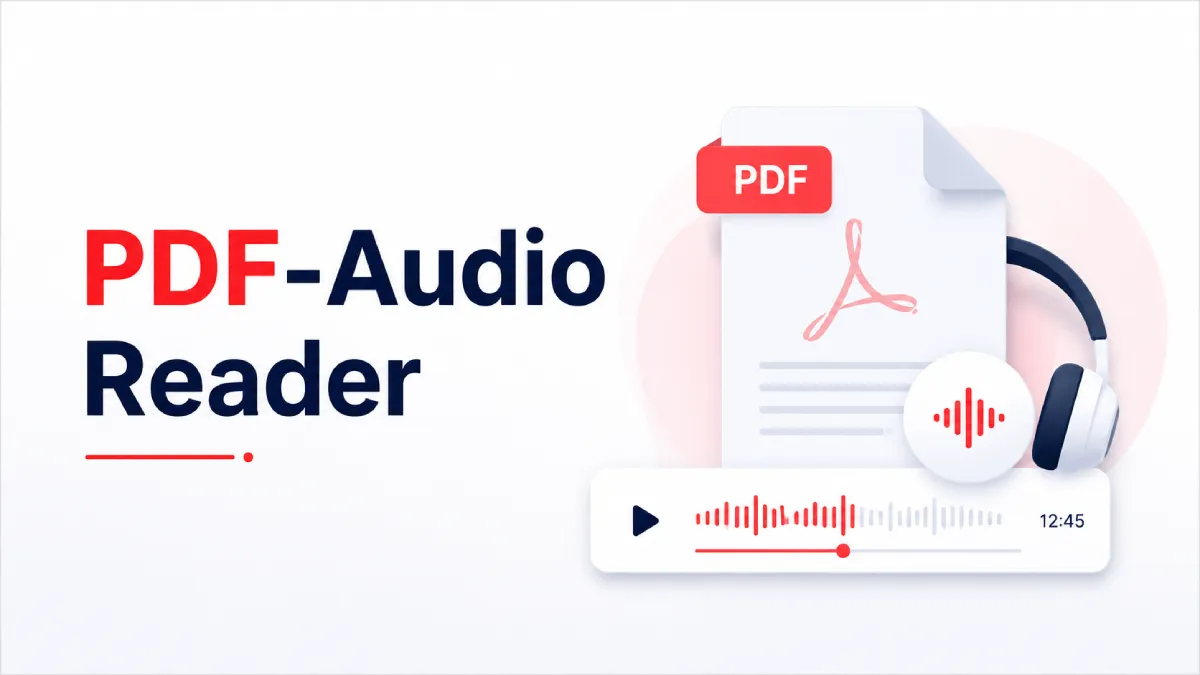
You already know you want to listen to your PDFs rather than read them on screen. What you probably haven't figured out yet is why some tools make that easy and others make it just barely tolerable — even when they advertise the same core feature. The gap between "can technically read a PDF aloud" and "actually useful for the way you read" is where most people get frustrated, and it's wider than any feature list suggests.
This guide cuts through that gap. Whether you're a student trying to get through dense research papers, a professional commuting with a backlog of reports, or someone managing eye strain or attention-related reading difficulty, the tool that works for you depends on specifics most reviews gloss over.
Almost any text-to-speech tool can open a PDF and produce audio. That fact is nearly meaningless. What separates a genuine PDF audio reader from a basic read-aloud feature is how it handles the full range of documents you actually encounter — not just a clean, single-column white paper your colleague exported from Google Docs on a good day.
Real-world PDFs include scanned lecture handouts, multi-column journal articles, exported presentation slides, research papers full of footnotes and citations, and internal reports with headers, tables, and sidebars. A tool that handles only the easy case isn't a PDF audio reader; it's a text-to-speech engine that occasionally loads a PDF.
The distinction matters because the documents that are hardest to read on screen — the dense ones, the long ones, the ones you've been avoiding — are exactly the ones where a good audio reader earns its place. If it stumbles on those, it hasn't solved your problem.
OCR — optical character recognition — is what allows an app to read a PDF that isn't actually a text file. Scanned documents, photographed pages, and image-based handouts don't contain selectable text. Without OCR, an app may open them without complaint and produce nothing useful when you press play.
If you work with any scanned material, OCR isn't a premium feature worth paying extra for. It's a baseline requirement. And not all OCR performs equally: scan quality, page angle, contrast, and font type all affect accuracy, which means you'll want a tool that handles real-world scan conditions, not just clean book scans in ideal lighting.
The voice that sounds crisp and natural in a product demo may become grating after twenty minutes of continuous listening. Long-form audio reading is a fundamentally different experience from playing a brief sample. Pacing, tonal consistency, and how the voice handles punctuation all matter more at the forty-minute mark than they do in the first thirty seconds.
If you plan to use a PDF audio reader for study sessions, long commutes, or any sustained workflow, test any candidate tool with something long enough to reveal fatigue — not just a paragraph that shows off the voice quality.
A PDF audio reader should help you stay oriented inside the document, not just deliver words in sequence. That means you need to be able to pause and resume without losing your place, move forward and back within the file, and ideally have the app respect structural signals like headings, section breaks, and paragraph spacing.
When an app flattens everything into a continuous audio stream with no structural awareness, following a complex argument becomes much harder — even when every word is pronounced correctly. You stop absorbing and start just hearing.
This distinction is worth understanding concretely because it determines what kind of OCR support you actually need.
A text-based PDF contains real, selectable text embedded in the file. If you can highlight words in it with your finger in Apple's Files app or in Safari, it's text-based. On iPhone, these files are handled efficiently by any app that can extract that text layer — the audio is generated directly from what's already there.
A scanned PDF is an image file that looks like a document. It might be a photographed page from a textbook, a signed contract that was scanned and emailed, or a handout that was originally printed and then digitized. If you try to select text in it and nothing highlights, you're looking at an image. On iPhone, reading this type of file requires an OCR step first — the app needs to recognize the text visually before it can convert it to audio.
The practical consequence: if your course readings or work documents include scanned files, an app that lacks OCR will silently fail on exactly those files, often without a useful error message. You press play, and either nothing happens or you hear a short, nonsensical fragment. AI Listen handles both types — the OCR step runs automatically when it's needed, so you're not managing two separate workflows depending on what kind of PDF you opened.
Most people's reading habits aren't limited to one clean document format. On any given day, you might want to listen to a scanned class handout, a saved long-form article, a Word document your manager sent, or a research paper in EPUB format. A tool built around a single file type forces you to maintain parallel systems — this app for PDFs, another for web content, another for ebooks.
AI Listen is built around the broader listening workflow. Beyond PDFs, it handles Word documents, EPUBs, webpages, and image-based files, which means you can bring your whole reading backlog into one place. For students especially, this matters: your study material rarely arrives in one format.
The mobile experience is also worth addressing directly. On iPhone, the friction of importing, opening, and resuming a file adds up quickly. If a tool requires multiple steps just to get a file into the app and start listening, it creates enough resistance that you stop using it outside of ideal conditions. AI Listen is built for iOS-native workflows — Share Sheet import, Files app integration, background playback — so the gap between "I want to listen to this" and "I am listening to this" stays small.
If you're using AI Listen, the process is straightforward enough that it fits naturally into how you already move files around on your phone.
Find your PDF. It might be in Files, in your email attachments, in a browser tab, or in a messaging app.
Use the Share Sheet. Tap the share icon and select AI Listen from the list of apps. If it doesn't appear immediately, tap "More" and look for it there.
Let the app process the file. For text-based PDFs, this is near-instant. For scanned files, OCR runs automatically — you'll see a brief processing indicator.
Adjust your settings before you start. Set your preferred voice and playback speed. Most users find a moderate speed increase — around 1.25x to 1.5x — keeps listening efficient without sacrificing comprehension.
Press play and lock your screen. Audio continues in the background, so you can commute, exercise, or work with your phone in your pocket.
Use the playback controls to navigate. Skip forward or back by sentence or paragraph, not just by time, so you can re-listen to a section that didn't land the first time.
The best PDF audio reader for a commuter prioritizing speed is a different tool from the best one for a student who needs to stay focused through dense academic writing, which is again different from what works best for someone managing dyslexia or visual processing difficulty.
For studying and research, you need long-session comfort, enough structural fidelity to follow arguments, and the ability to move back through material easily. Speed is less important than comprehension staying intact at the speed you choose.
For professional reading — reports, proposals, industry documents — reliability and smooth import matter more than any single feature. You need the app to behave the same way every time you open it, across whatever file type your team sends you.
For accessibility use cases, the most important quality is consistency. A tool that works brilliantly with one file type and fails on another isn't useful when you need it to reduce friction every day without exception.
No PDF audio reader handles every document perfectly, and it's worth knowing the honest constraints before you commit to a workflow.
Scanned files are only as clean as the original scan. OCR can work around a lot, but if the source document is badly photographed — blurry, crooked, poorly lit — even strong OCR produces errors that accumulate into a frustrating listening experience. For critical material, starting from a clean source file is always better than relying entirely on OCR to rescue a poor scan.
Visually complex formatting — tables, multi-column layouts, footnotes, sidebars — can disrupt audio flow in ways that are genuinely hard to solve at the app level. If a table's content matters, you may need to read that section on screen rather than listening through it. Most apps that are honest about this behavior are the ones worth trusting.
Faster playback speed also doesn't automatically mean better productivity. Comprehension degrades faster than most people expect at high speeds, especially with technical or unfamiliar content. The goal is the highest speed at which you're still absorbing what you hear — which varies by document and by how tired you are.
Before you settle on a tool, the most useful test is this: run the kinds of files you actually use through it — a scanned document, a long report, something in a format other than PDF — and notice where the experience gets clumsy. That moment of friction is the answer.
A PDF audio reader that works with your real documents, handles the file types your life produces, runs smoothly on your iPhone, and gets out of the way so you can actually listen — that's the tool worth keeping.
If you want to test that workflow with AI Listen, it's available on the App Store for iPhone and iPad. Download it, drop in a document you've been putting off, and see whether the friction disappears.