TTS
AI Tools
Adam Text to Speech: How to Use ElevenLabs' Iconic AI Voice for Free
Adam is one of the most recognized AI voices on the internet — dark, tough, and distinctly American. Here's how to generate Adam text to speech for free, and what your options are beyond ElevenLabs.
Chloe Whittaker
Chloe Whittaker
AI Voice Specialist
July 27, 2026
6 min read
adam-text-to-speech
In This Article
What Is the Adam Text to Speech Voice?
How to Use Adam Voice on ElevenLabs
Free Adam Text to Speech Alternatives
Platform Comparison
Adam Voice vs. Other Male TTS Voices
Conclusion

If you have heard a deep, serious, slightly brooding male voice narrating a TikTok story or a YouTube video, there is a good chance it was Adam — ElevenLabs' most iconic AI voice. Since its release, Adam has become a default choice for content creators who want narration that sounds confident without sounding robotic.

But with ElevenLabs' free tier capped at 10,000 characters per month, many users look for ways to use the Adam voice — or an equivalent — without hitting limits or paying for a subscription. This guide covers how to use Adam text to speech on ElevenLabs, what free alternatives exist, and how to choose the right option for your use case.

What Is the Adam Text to Speech Voice?

Adam is a male American English AI voice created by ElevenLabs. Its official description: brooding, dark, and tough — a weathered hero quality that makes it stand out from generic TTS voices. It was one of the first ElevenLabs voices to go viral on social media, largely because it brought a level of character and weight to narration that most text to speech tools at the time could not match.

The voice has been widely adopted for:

  • TikTok narration — particularly story formats and "dark" content

  • YouTube voiceovers — explainer videos, commentary, and documentary-style content

  • Podcast intros and bumpers — for a serious, professional tone

  • Social media short-form content — quick scripts that need a strong voice presence

Its popularity also led to multiple platforms creating Adam-inspired voice models through community contributions on sites like Fish Audio and Rewind.ai.

Quick Tip: ElevenLabs' Adam voice is available on the free tier, but the free plan is limited to 10,000 characters per month. If you need unlimited Adam-style TTS without a paid plan, Rewind.ai's Kokoro Adam voice is fully free with no character limit — no account required.

How to Use Adam Voice on ElevenLabs

ElevenLabs is where the original Adam voice lives.

Steps:

  1. Go to elevenlabs.io and create a free account

  2. Open Text to Speech from the main dashboard

  3. Search for "Adam" in the voice library or find it under the pre-loaded voices

  4. Type or paste your script

  5. Adjust stability and clarity settings if needed

  6. Click Generate and download the audio

Free tier limits: 10,000 characters per month. That is roughly 1,500–2,000 words — enough for a few short videos, but limiting for regular content creation.

Voice customization: ElevenLabs lets you adjust stability (consistency vs variation) and clarity/exaggeration. For Adam, a moderate stability setting typically produces the most natural output.

Free Adam Text to Speech Alternatives

Rewind.ai — Kokoro Adam (Fully Free)

Rewind.ai offers an Adam voice powered by the open-source Kokoro model — completely free, no account required, no character limits at the basic level.

  • Voice quality: Natural and comparable to mid-tier ElevenLabs output

  • License: Apache 2.0 (commercial use permitted)

  • Export: MP3 and WAV

  • Speed control: Yes

For users who need Adam-style TTS without any usage caps, Rewind.ai is currently the strongest free option.

Fish Audio — Community Adam Models

Fish Audio hosts community-created voice models, and the platform has multiple Adam-style male voices contributed by users. Quality varies by model, but some are rated highly by creators.

  • Free tier: Available with usage limits

  • Export: Yes

  • Commercial use: Varies by individual model — check the license before use

Easy-Peasy.AI and Similar Tools

Several TTS aggregator platforms include an Adam voice as one of many options. Easy-Peasy.AI, for example, includes Adam as a preset voice in its TTS tool. These are convenient for quick generation but may have stricter free limits or export restrictions than Rewind.ai.

AI Listen — For Everyday Listening

Unlike Adam, which is designed for content creation and voiceovers, AI Listen focuses on listening to articles, PDFs, and other long-form text. If your goal is to turn written content into natural-sounding audio for daily reading, it's a more suitable choice than a character-style voice.

Platform Comparison

Platform

Adam Voice

Free Tier

Export

Commercial Use

Best For

ElevenLabs

Original

10K chars/month

Yes

Creator+ plans

Highest quality, creator use

Rewind.ai (Kokoro)

Kokoro Adam

Unlimited (free)

Yes

Yes (Apache 2.0)

Free unlimited use

Fish Audio

Community models

Limited

Yes

Varies by model

Variety, community options

AI Listen

Natural AI voices

Free

In-app playback

Free

Document and article listening

ai-listen-app
Robert (Deep·Male)
48kHz
MP3
Audiobook
The
train
stopped
outside
the
city
just
after
sunset,
in
open
fields
silvered
with
frost.
For
a
few
seconds,
the
carriage
was
perfectly
still.
No
one
spoke.
Everyone
waited
for
an
announcement,
for
the
conductor,
for
a
reason
this
was
only
a
delay.
Lena
sat
by
the
window
with
her
coat
across
her
knees.
Across
from
her,
an
old
man
closed
his
book
but
kept
one
finger
between
the
pages.
"Do
you
think
we
should
be
worried?"
Lena
asked,
keeping
her
voice
low.
The
old
man
glanced
toward
the
window
before
answering.
His
face
was
calm,
but
his
eyes
had
stopped
smiling.
"Worried
is
expensive.
I
try
not
to
spend
it
too
early."
She
smiled
despite
herself,
though
the
smile
did
not
last.
"That
sounds
like
something
people
say
when
they
are
already
worried."
"Perhaps."
He
tapped
the
cover
of
his
book
once,
slowly.
"But
I
have
missed
three
trains
in
my
life,
and
all
three
took
me
somewhere
useful."
Before
Lena
could
answer,
the
lights
flickered
once.
The
whole
carriage
seemed
to
hold
its
breath.
A
child
at
the
back
began
to
cry,
and
someone
whispered
sharply
for
everyone
to
stay
seated.
Then
the
speaker
above
the
door
clicked.
The
sound
was
small,
but
every
head
turned
toward
it.
A
voice
came
through,
thin
and
uneven,
as
if
it
were
being
played
from
very
far
away.
"Passengers,
please
remain
calm.
We
are
waiting
for
clearance
to
proceed."
No
one
moved.
The
old
man
looked
at
Lena.
For
the
first
time,
his
expression
had
changed
completely.
The
calmness
was
gone.
"That
is
not
the
conductor,"
he
said
quietly.
Outside
the
window,
far
across
the
frozen
field,
a
single
red
light
appeared
where
there
had
been
only
darkness.
It
moved
once,
stopped,
and
then
moved
again,
slow
and
deliberate,
as
if
someone
were
carrying
it
by
hand.
Lena
reached
for
her
phone.
Her
fingers
felt
clumsy.
The
screen
showed
no
signal.
-02:04
Speed
0.5x
0.8x
1.0x
1.2x
1.5x
2.0x

Adam Voice vs. Other Male TTS Voices

Adam's distinctive quality is its weight and character — it does not sound neutral or generic. That is its strength for content where authority and presence matter. It is less suited for:

  • Educational or instructional content where a neutral, approachable tone is better

  • Corporate or professional narration where warmth and relatability are the priority

  • Conversational AI where a less dramatic voice sounds more natural

For those use cases, alternatives like ElevenLabs' "Josh" or "Charlie," or Kokoro's other male voice presets, often produce better results.

Conclusion

Adam remains one of the most recognizable AI voices in text to speech, and it is genuinely free to use — within limits. ElevenLabs' free tier is sufficient for light content creation. For unlimited free use, Rewind.ai's Kokoro Adam is the practical alternative.

For content needs that go beyond short-form narration — like listening to long articles, newsletters, or documents — AI Listen provides a free, natural-sounding option designed for extended listening on iOS.
Frequently Asked Questions
What is the Adam text to speech voice?
Adam is a male AI voice originally created and popularized by ElevenLabs. It has a deep, dark, and tough American English quality that became widely used for TikTok narrations, YouTube videos, and podcast intros. The voice model became iconic enough that multiple other platforms have created their own versions of an Adam-style voice.
Is the ElevenLabs Adam voice free?
Yes, the ElevenLabs Adam voice is available on the free tier, which provides 10,000 characters per month. For heavier usage, ElevenLabs Creator and Pro plans offer higher monthly character limits and additional features.
What is the best free alternative to ElevenLabs Adam?
Rewind.ai offers the Kokoro Adam voice completely free — no sign-up required and no character limit restrictions at the free level. The Kokoro model is open-source (Apache 2.0), which also makes it suitable for commercial use.
Can I use Adam text to speech for commercial projects?
ElevenLabs allows commercial use under its Creator and higher plans. The Kokoro Adam voice on Rewind.ai is released under Apache 2.0, which permits commercial use. Fish Audio and other community platforms vary — check each platform's specific licensing terms before using generated audio commercially.
What are the best use cases for the Adam AI voice?
Adam is widely used for TikTok narration, YouTube video voiceovers, podcast intros, and social media content. Its distinctive deep tone gives content a confident, authoritative feel, which suits storytelling, news commentary, and entertainment formats.

ai-listen-app
Ready to Transform Your Study Sessions?
Join 50,000+ students using AI Listen to study smarter. Free forever plan available.

TTS
AI Tools
Share this article:
copy

Popular Articles

Continue exploring text to speech and productivity tips
Acapela Text to Speech Review: Features, Pricing & Top Alternatives
TTS
Acapela Text to Speech Review: Features, Pricing & Top Alternatives
Acapela Group has been building text to speech voices for over 30 years, with a focus on enterprise, accessibility, and AAC. Here's what the platform actually offers, who it's built for, and when a different tool makes more sense.
Adobe Text to Speech: How to Use Acrobat Read Aloud & Firefly AI Voice Generator
TTS
Adobe Text to Speech: How to Use Acrobat Read Aloud & Firefly AI Voice Generator
Adobe offers two distinct text to speech tools — Acrobat's built-in Read Out Loud for PDF accessibility and Firefly's AI voice generator for content creation. Here's how to use both and when to choose each.
AI Audio for Publishing and News: How Publishers Can Turn Written Content Into a Real Listening Product
TTS
AI Audio for Publishing and News: How Publishers Can Turn Written Content Into a Real Listening Product
AI audio is becoming a serious layer in publishing and news. This guide explains the real use cases, tradeoffs, and decision criteria behind adoption.
AI Story Generator: What It Is, How It Works, and Why It Matters
TTS
AI Story Generator: What It Is, How It Works, and Why It Matters
AI story generators turn prompts into structured drafts for fiction, marketing, and education. In this guide, we cover how AI story generators work, their core features, benefits, limitations, and how to choose the right AI Story Generator.
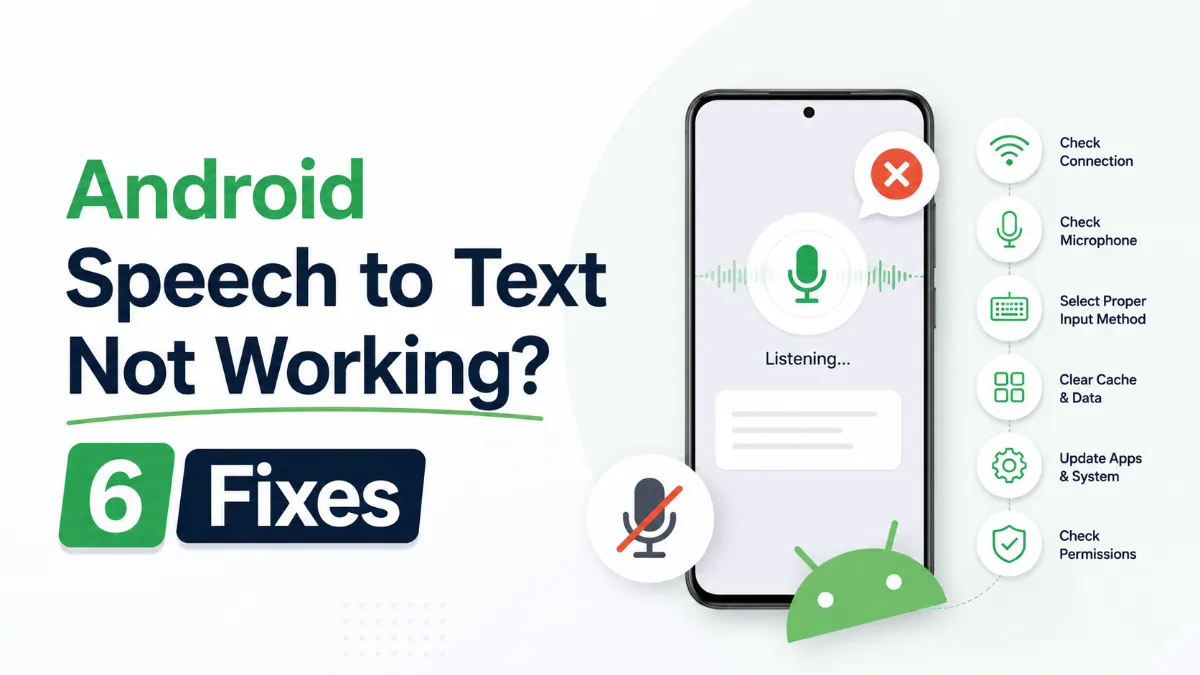
Android Speech to Text Not Working? 6 Fixes That Actually Work
Tutorials
Android Speech to Text Not Working? 6 Fixes That Actually Work
Android speech to text failures usually trace back to a small set of causes: permissions, cache buildup, language mismatches, or internet dependency. Here are six fixes that cover the most common cases, in order of effort.
What Is the Android Text to Speech Engine and How to Change It
Tutorials
What Is the Android Text to Speech Engine and How to Change It
The Android text to speech engine is the system-level layer that converts text to audio for all apps on your phone. Most users never change it — but knowing how to switch engines, download better voices, and configure it correctly can significantly improve TTS quality.