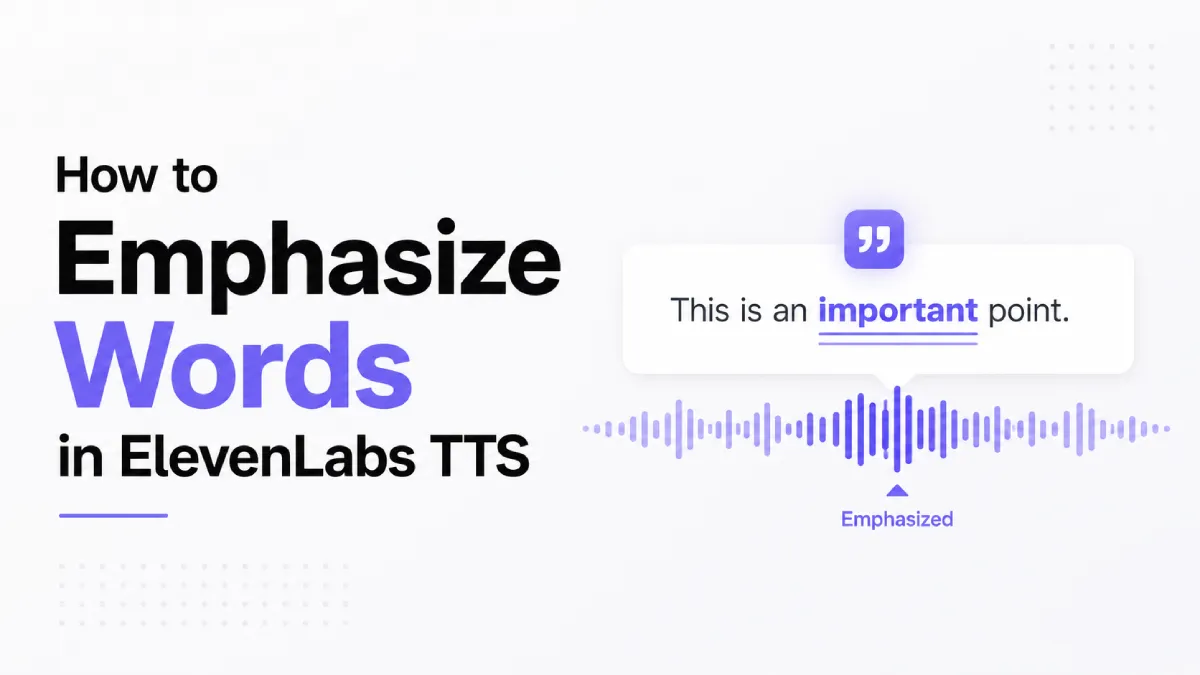
ElevenLabs produces some of the most natural-sounding synthetic speech available today, but new users consistently run into the same wall: there is no bold tag, no
Below you will find every practical method for controlling stress, emotion, and pacing in ElevenLabs — from Audio Tags to punctuation strategies to the Style Exaggeration slider — plus a complete copy-paste reference table for v3.
SSML (Speech Synthesis Markup Language) is the W3C standard for controlling TTS output. It includes an
This is a deliberate architectural choice. ElevenLabs models are trained end-to-end on real speech rather than rule-based phoneme pipelines, so they do not parse XML markup at inference time. The tradeoff is that you lose tag-level surgical control but gain far more natural prosody overall.
What ElevenLabs offers instead falls into three categories:
Method | Where it lives | What it controls |
|---|---|---|
Audio Tags | Inline in your script | Emotion, tone, laughter, breath, pacing |
Punctuation patterns | Inline in your script | Stress, pauses, rhythm |
Style Exaggeration | Voice Settings panel | Global expressiveness of the voice |
Audio Tags are bracketed instructions you embed directly in your script. The model reads them as contextual cues rather than spoken words.
Basic syntax
Place the tag immediately before the passage it should affect:
[excited] This is the product that changes everything.
[whispers] Don't tell anyone I told you this.
[sighs] I've been over this three times already.
The effect typically extends across the sentence or clause that follows. It does not latch onto a single word the way SSML
Combining tags with emotional context
Tags work best when the surrounding text reinforces the emotion:
[angry] I'm totally fine with that decision.   ← model may hedge
[angry] That was completely unacceptable.       ← clean, consistent output
Breath and non-verbal Audio Tags
[laughs] — inserts natural laughter mid-sentence
[sighs] — produces an audible exhale before continuing
[clears throat] — brief throat-clearing, useful for podcast-style content
[gasps] — sharp intake of breath, effective for dramatic moments
[long pause] — extended silence (v3 only)
Use-case breakdown
Marketing voiceover: [excited] on product benefit sentences, [whispers] for urgency lines
Audiobook narration: [sighs], [laughs], [gasps] embedded in character dialogue
E-learning: neutral delivery with occasional [curious] or [thoughtful] for rhetorical questions
Podcast intros: [cheerful] for high-energy openers, [serious] for topic transitions
When you need stress at the word level rather than the sentence level, punctuation is your primary tool.
CAPS for stress
Capitalizing a word signals the model to increase its pitch and duration:
You need to do this NOW.
I said I was FINE.
The results were WORSE than expected.
Reserve CAPS for one or two words per sentence.
Quotation marks for spoken emphasis
Wrapping a word or phrase in quotes cues the model to deliver it with slight detachment or irony:
He called it a "minor" inconvenience.
Their "solution" made things worse.
Ellipses for dramatic pauses
Three dots create a natural hesitation beat:
And then... nothing happened.
I thought I knew the answer... but I was wrong.
Avoid overuse. More than two or three ellipses per paragraph makes pacing feel artificially slow.
Em dashes for mid-sentence stress breaks
An em dash (—) instructs the model to introduce a beat before the following clause:
The answer was simple — nobody had looked.
She wasn't just good — she was exceptional.
This became more reliable in v3. In v2, em dash behavior was inconsistent across voices.
Style Exaggeration is a numeric slider in the Voice Settings panel. It controls how dramatically the voice performs the emotional content of the text.
Decision framework
Use case | Recommended range | Rationale |
|---|---|---|
Long-form reading (articles, books) | 0–25 | Keeps fatigue low over extended listening |
Marketing copy, ads | 30–55 | Adds energy without instability |
Character dialogue, audiobooks | 40–65 | Supports emotional variation across scenes |
Dramatic narration, trailers | 60–80 | High expressiveness; test each sentence |
Experimental / stylized | 80–100 | Unpredictable; expect retakes |
Tradeoffs
Higher Style Exaggeration increases the chance of pitch breaks on long sentences, uneven pacing across paragraphs, and the voice "acting" rather than speaking naturally.
Best-for guidance
Use low Style Exaggeration (0–30) when Audio Tags are doing heavy lifting. The two systems compound — a [excited] tag at Style 70 can tip into over-performance.
Use higher Style Exaggeration (40–60) when your script is emotionally flat but you want the voice to carry energy without rewriting the text.
What stayed the same
Core emotional tags ([excited], [whispers], [angry], [sad], [cheerful]) work in both versions. Punctuation interpretation is consistent across versions. Style Exaggeration slider exists in both.
What changed in v3
Feature | v2 | v3 |
|---|---|---|
| Not available | Supported — cuts off mid-sentence delivery |
| Not available | Supported — for multi-character dialogue |
| Not available | Supported — explicit extended silence |
Em dash stress breaks | Inconsistent | Reliable across most voices |
Multi-character formatting | Not supported | Character labels trigger distinct voice switching |
Tag-to-prosody mapping | Approximate | Improved precision on syllable-level stress |
Tag | Effect | Best used for |
|---|---|---|
| High energy, upward pitch | Product announcements, calls to action |
| Soft, breathy delivery | Secrets, intimate moments, dramatic asides |
| Tight, clipped, raised pitch | Conflict scenes, urgent warnings |
| Slower, lower pitch, trailing | Emotional beats, empathy-driven content |
| Bright, warm, slightly faster | Introductions, positive news |
| Flat affect, deliberate pacing | Legal disclaimers, news delivery, warnings |
| Slight upward lilt, questioning | Rhetorical questions, exploration segments |
| Breathless, rapid | Horror, high-stakes moments |
| Audible laughter | Natural conversation, character dialogue |
| Audible exhale | Fatigue, resignation, relief |
| Sharp breath intake | Surprise, shock, dramatic reveal |
| Brief throat sound | Podcast-style openers, character realism |
| Extended silence (v3 only) | Dramatic tension, section breaks |
| Cuts off cleanly mid-phrase (v3 only) | Dialogue, debate scripts |
| Simultaneous-speech cue (v3 only) | Multi-character scripts |
| Broken speech, wet vocal quality | Grief scenes, emotionally heavy narration |
| Loud, projected delivery | Crowd scenes, commands |
| Low-clarity, compressed delivery | Character quirks, distance effect |
| Slightly unsteady, faster pace | Interviews, anxious characters |
| Flat dismissal tone | Negative reviews, character reactions |
Comparison lens: Tag vs. Punctuation vs. Slider
Audio Tags win when you need a specific emotion or non-verbal sound. They affect a full clause, not a single word.
Punctuation wins when you need word-level stress without changing the emotional register of the surrounding text.
Style Exaggeration wins when you want a consistent baseline energy across the entire voice output without touching the script.
ElevenLabs' emphasis system rewards a methodical approach: establish a baseline Style Exaggeration that suits your voice, use punctuation for word-level stress, and reserve Audio Tags for passages that genuinely need emotional color. That sequence keeps scripts readable, revisions predictable, and output consistent.
For anyone producing content at scale — multiple scripts, multiple voices, multiple languages — the v3 improvements to tag-to-prosody mapping and the addition of narrative tags ([interrupting], [overlapping]) meaningfully expand what you can do without touching the underlying voice model.
If you want to hear how different emphasis approaches translate into a real listening experience, AI Listen lets you convert long-form documents to audio with natural prosody — useful as a reference point for what well-paced TTS delivery actually sounds like in practice.