It starts with a stack of things you need to read and not enough time to sit down and read them.
Maybe you are a nursing student who printed out a 60-page clinical pharmacology guide and has been staring at it for three hours. Your eyes are exhausted, but you still have thirty pages left. Maybe you are a project manager who gets on the train at 7:40 every morning with a saved industry report and only forty minutes of commute to absorb it before a 9 o'clock meeting. Maybe you have dyslexia and tracking dense paragraphs on a phone screen is slow, draining work — you understand the material fine when you hear it, but reading it visually costs you twice the time and twice the energy.
All three of those people are looking for the same thing: a way to turn a PDF into something they can listen to, on a phone, without the process becoming more complicated than the original problem.
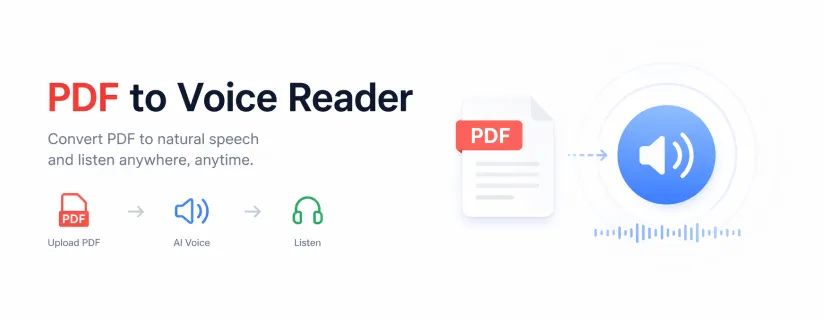
A PDF to voice reader is the tool category designed for exactly that. But the phrase covers a wide range of products — from basic read-aloud apps to full document listeners with OCR, format support, and navigation controls — and understanding what separates them is what this guide is actually about.
This is not a review of a single app. It is a thorough explanation of how the technology works, what can go wrong, what to look for when choosing a tool, and how to build a mobile listening workflow that holds up in daily use.
The name makes it sound straightforward. You have a PDF. You want it read aloud. The tool does that.
But between "you have a PDF" and "you hear audio," a significant amount of processing happens — and that processing is where most tools either succeed or quietly fail.
Every PDF to voice reader runs through three core stages, regardless of how simple or sophisticated the interface looks.
Stage one is text extraction. The tool has to pull the readable content out of the PDF file. For a document created digitally — a Word file saved as PDF, a form generated from software, a research paper exported from an academic platform — this is usually fast and clean. The text exists as actual characters embedded in the file structure. The extraction engine reads those characters, preserves the sequence, and passes them forward.
For a scanned document, this stage is completely different. A scanned PDF is not a text file with a PDF wrapper. It is an image — a photograph of a page — stored inside a PDF container. The characters you see on screen are pixels arranged to look like letters, not actual text data. There is nothing for a standard text extractor to read. To convert a scanned PDF to audio, the tool needs OCR — optical character recognition — to analyze those pixel patterns, identify the letters and words they represent, and reconstruct the text from scratch.
OCR is not a checkbox feature. The quality of the OCR engine determines the quality of every downstream step. A poor OCR pass produces garbled text. Garbled text produces garbled audio. No amount of good voice synthesis fixes what arrives broken.
Stage two is text processing. Once the raw text is extracted, the tool has to prepare it for speech. This involves more than it sounds. A PDF may contain headers, footers, page numbers, footnotes, captions, table cells, and multi-column layouts — all of which exist in a spatial arrangement on the page that does not translate directly to a spoken reading order. A well-built reader figures out the correct sequence. A poorly built one reads the page left-to-right across all columns simultaneously, or announces the page number at the start of every new page, or reads table headers mid-paragraph.
Stage three is voice rendering. This is what most people think of first — the actual text-to-speech conversion. Modern TTS engines are good enough that voice quality is rarely the weakest link in the chain anymore. What matters more is whether the voice sustains listenability over a long session, whether pronunciation handles technical vocabulary correctly, and whether the reader gives you enough speed and pitch control to fine-tune the experience for your specific material.
The reason this pipeline matters is that when listening to a PDF sounds bad, the problem is almost never stage three. It is almost always stage one or two. Diagnosing the right stage saves a lot of time when you are troubleshooting.
If there is one thing to understand before choosing a PDF to voice reader, it is this: what type of PDF are you actually working with?
This is the question most product pages skip, because it requires them to admit that their tool handles one type well and the other type poorly — or not at all.
Open the PDF in any viewer — your phone's default reader, a browser, anything — and try to tap on a word or drag to select text. If text highlights, the document is text-based. If nothing happens, if your tap produces no response at all, you are almost certainly looking at a scanned document. The visual appearance tells you nothing. A scanned page photographed at high resolution looks identical to a digital PDF on screen. The behavior tells you everything.
Take a scanned lecture slide — the kind a professor photographs from a whiteboard and uploads to a course portal. Run it through a PDF to voice reader that does not have OCR. The result is not garbled audio. The result is silence, or an error, or a single line of audio that reads the PDF metadata: "Page 1 of 12. PDF document."
Now run that same file through a tool with mediocre OCR. You get audio — but it has errors distributed throughout. A capital "I" becomes a number 1 in narrow fonts. The letter "O" in certain typefaces becomes a zero. Superscript footnote numbers get read mid-sentence as standalone numerals: "the recommended dosage is 20mg 3 per day 4" — where 3 and 4 are footnote references that the OCR engine pulled inline.
After thirty minutes of that, the listener has no idea how much of what they heard was the document and how much was noise. They go back and read it. The tool has failed completely — not because it could not produce audio, but because the audio was not trustworthy.
Most people assume they mostly work with clean PDFs. In practice, a significant portion of everyday documents are partially or fully scanned: older academic papers photographed before digital archives existed, textbooks scanned by classmates or libraries, government forms and legal records digitized from print originals, handwritten notes photographed and saved as PDF, and anything sent by fax at any point in the last twenty years.
If your PDF collection comes from a mix of sources — downloaded articles, shared course materials, emailed documents, saved web content — you almost certainly have more scanned files in there than you realize. OCR support is not a niche requirement. For most real-world reading workflows, it is a baseline.
Most guides on this topic describe the process in three vague steps: download the app, upload your file, press play. That is fine if everything works perfectly the first time. It is useless when something goes wrong, which it often does on the first attempt with an unfamiliar tool.
This walkthrough assumes you are starting from scratch with a phone you have been using as your primary document device, a mix of file types in your library, and the goal of building a workflow you can repeat without thinking about it.
This step happens before you download anything.
Go through the documents you actually plan to listen to. Not hypothetical documents — the real ones sitting in your files app, your downloads folder, your email attachments, your cloud storage. For each one, do the tap test: can you select text? Note which ones are text-based and which appear to be scanned.
Also note the formats. Are any of them Word documents? EPUBs? Web pages you saved as files? Images with text? If your reading queue is exclusively standard PDF, your tooling requirements are simpler. If it is mixed, you need a tool that handles multiple formats — otherwise you end up with a different app for each content type, which creates friction that compounds over time.
This five-minute audit will tell you more about which tool to choose than any feature comparison table.
Once you have a tool installed, file import is the step where most mobile workflows stumble.
Most PDF to voice readers support one or more of these import methods: direct file picker from your device storage, share sheet integration (so you can send a file from another app directly to the reader), cloud storage sync from Google Drive, iCloud, Dropbox, or OneDrive, URL import for web-hosted documents, and camera capture for physical documents.
The method that matters is the one that matches where your files actually live. If your study materials come from a university learning management system, you need to be able to open a PDF in your browser, tap Share, and send it directly to the reader. If your work documents sit in a shared Google Drive, direct cloud sync is what makes the workflow fast enough to use daily.
Test the import path with a real file before you evaluate anything else. A tool with an excellent TTS engine but a clunky import process will get used once and abandoned.
This step takes thirty seconds and saves a lot of frustration.
After the file loads, look for an option to preview the extracted text — a text view, a transcript panel, or any view that shows the raw content the tool has pulled from the document. Scroll through it briefly. You are not reading it word-for-word; you are scanning for obvious anomalies: sections that appear blank, paragraphs that start mid-sentence, strings of garbled characters, or page numbers appearing where headings should be.
If the text preview looks correct, playback will sound correct. If something looks wrong in preview, do not waste thirty minutes listening to find out how wrong — fix the source problem first, or find a tool with better extraction.
Not every app surfaces a text preview. If yours does not, at minimum listen to the first two to three minutes of a long document before committing to a full session.
There is a right order for this: set the speed first, then choose the voice, then test both together for two to three minutes before moving on.
Speed is personal and varies by content type. Most people find that conversational content — blog posts, popular nonfiction — is comfortable at 1.3x to 1.5x. Technical content with precise language, numbers, and specialized vocabulary typically works better at 1.0x to 1.2x. Academic papers with nested clauses and footnotes can be actively difficult to follow above 1.1x, regardless of how fast you normally read.
Voice selection is worth spending more than a minute on, even though most apps treat it as an afterthought. The relevant variable is not which voice sounds most impressive in a ten-second demo. It is which voice you can still listen to comfortably at the sixty-minute mark. Some synthesized voices have a subtle rhythmic pulse — a rise-and-fall cadence that sounds pleasant in short bursts but becomes intrusive over extended listening. Others flatten affect too much and make technical text feel like a monotone recitation. Test with a piece of real content from your reading queue, not the app's sample text.
This is the step most people skip because it feels unnecessary — until they are halfway through a forty-page report on a bus, get off at their stop, come back to the app an hour later, and find themselves restarted at the beginning.
Check three things specifically. First, does the app save your position automatically, or do you need to create a bookmark manually? Second, if you lock your phone mid-session, does playback resume correctly when you unlock — or does the app lose its place? Third, can you navigate to a specific heading or chapter, or only skip forward and backward by fixed increments?
For a two-page summary, none of this matters. For a sixty-page clinical guide that a nursing student needs to get through in four separate commute sessions, all three of those behaviors determine whether the tool is actually usable.
Do this before you decide whether the tool is part of your workflow.
A five-minute test and a forty-minute session are not the same evaluation. Battery drain, background audio stability, how the app handles phone calls or notification interruptions, whether playback speed holds steady or occasionally stutters — these only show up in sustained use.
Use a document from your actual reading queue. Listen for long enough to get past the novelty of the new tool. Pay attention to whether you are following the content naturally or working to parse it. That cognitive load difference — between listening that flows and listening that requires active effort — is the real measure of whether a tool fits your workflow.
These two terms show up interchangeably in product listings, which creates confusion when you are trying to choose the right tool for a specific need.
They are not the same thing, and the distinction matters depending on what you are actually trying to do.
A PDF audio converter takes a document as input and produces an audio file — usually MP3 or WAV — as output. The conversion happens once, the audio file is saved, and from that point it behaves like any other audio recording. You can play it in any media player, transfer it to another device, or upload it to a podcast app.
This is useful in specific situations. If you want to create a recorded version of a document to share with someone else — a student who wants to send a study guide as an audio file to a friend, for example — a converter gets you there. If you want to load a document onto a device that does not support apps — an old iPod, a car stereo that plays MP3 files from USB — converting to audio first is the practical path.
The limitation is that converted audio is static. You cannot change the playback speed after conversion. You cannot jump to a specific section by heading. You cannot re-listen to a specific paragraph without scrubbing back manually. You cannot follow along with synchronized text. Once it is an MP3, the document structure is gone.
A PDF to voice reader keeps the document alive while it reads. The text remains structured, navigable, and adjustable at any point during playback. You can pause mid-sentence, rewind fifteen seconds, change speed, switch voices, jump to chapter three, or stop entirely and resume from the same line the next day.
For studying, reviewing contracts, working through research papers, or any use case where you need to engage with specific parts of a document rather than passively absorb the whole thing from beginning to end, this is the more functional choice by a wide margin.
A second-year law student reviewing a casebook chapter for seminar discussion needs to navigate, re-listen to specific holdings, and match what she hears to the text in front of her. A reader is the right tool. An audio converter would produce a file she could not meaningfully use for that purpose.
A corporate trainer who wants to archive a policy document as audio for new employees who prefer audio onboarding needs a file that can be stored on a shared drive and played on any device. A converter is the right tool. She does not need navigation or live adjustment.
A daily commuter who wants to work through saved articles and reports every morning, pausing at interesting sections and replaying complex passages, needs a reader — specifically one optimized for mobile use and quick document switching.
Most people asking about PDF to voice tools are in the third category. They want active, ongoing listening as a daily habit, not a one-time conversion job.
Features lists in product marketing tend to include everything a tool can do, with equal weight given to each. In daily use, some features determine whether you use the tool at all, some make the experience better, and some you will never touch. Separating those categories saves time.
OCR is not optional if your document library includes anything that was not created natively as a digital file. As established earlier, scanned PDFs without OCR processing produce either silence or meaningless noise. But OCR quality is not binary either — there is a meaningful difference between an OCR engine that achieves 94% character accuracy and one that achieves 99%, and that difference compounds significantly over a forty-page document.
When evaluating OCR in a PDF to voice reader, test it with the actual types of scanned documents you work with. A tool that performs well on a clean black-and-white text scan may struggle with a photograph taken at an angle under uneven lighting. If your scanned documents come from phone cameras rather than flatbed scanners, test with camera-captured images specifically.
Voice quality in a demo is not the same as voice endurance over a session.
The relevant question is: after thirty minutes, are you still following the content naturally, or are you fighting to stay focused? Some voices have prosody patterns — the rhythm and stress of synthesized speech — that feel natural at first but gradually become distracting. Others maintain a consistent pace and emphasis that fades into the background in the way good audio narration should.
The only way to know is to test with content that requires concentration: a technical manual, a legal document, a dense academic paragraph. Easy content does not stress-test the voice. Content that requires you to track complex logic does.
Having a speed control is table stakes. The relevant feature is how granular the control is and whether it persists across sessions.
A tool that offers only 1x, 1.5x, and 2x is less useful than one that offers 0.1x increments from 0.5x to 3x. For a proficient reader used to processing text quickly, 1.5x may feel too slow but 2x may be too fast for technical material. The sweet spot — 1.7x, 1.8x — only exists in tools with fine-grained control.
Speed memory also matters. If every time you open a document the speed resets to 1x, you are adding a micro-task to every session. Over time, that friction erodes the habit.
The ability to jump by heading rather than scrubbing by time is the feature that distinguishes tools built for document listening from tools built for audio playback.
For a commuter listening to a ten-section market report, being able to skip directly to section seven — "Regional Sales Performance" — without fast-forwarding through three minutes of content they already covered yesterday is the difference between a useful tool and an annoying one.
If the documents you listen to are structured — chapters, sections, headings — check explicitly whether the app supports heading-level navigation. Not all do. Some scrub by time only, which is adequate for short content and inadequate for anything over twenty minutes.
PDF is not the only format in most people's reading queues, and it rarely should be.
A graduate student might have PDFs of journal articles, EPUBs of assigned books, Word documents of draft papers to review, and web articles saved for later reading. A professional might have PDF reports, email attachments in Word format, and company documents exported in various formats.
A tool that handles only PDF requires you to convert other formats before importing, which adds friction. A tool that natively supports PDF, EPUB, Word, and plain text — and ideally web URLs and images with text — removes a layer of workflow management and lets you maintain one listening habit across all content types.
This sounds basic, but it is worth verifying because not all apps implement it correctly.
Background playback means the audio continues when you switch to another app — you can check a message while the reader keeps going. Lock screen controls mean you can pause, rewind, or skip without unlocking your phone. For commuters specifically, these are practical necessities: you need to be able to pause when someone speaks to you without fumbling to unlock your phone and navigate to the app.
Test both explicitly during your evaluation session.
AI Listen is built for the workflow described throughout this guide: regular, mobile-first listening across a mixed document library, with support for scanned files that need OCR before they can be read at all.
The distinction worth naming is that AI Listen is not a general audio player with a PDF import feature grafted on. It is a document listener — the core experience is built around reading documents, not playing audio files. That design orientation shows up in the details: the document management structure, the format support range, the OCR integration, and the navigation model are all oriented toward people who use reading-as-listening as a daily practice rather than an occasional experiment.
For scanned document handling specifically, AI Listen processes files through OCR before playback begins. This means a photograph of a textbook page, a scanned course handout, or an image-heavy lecture slide all become listenable content rather than silent imports. The practical benefit is that you do not have to pre-sort your document library by type — you can import files without knowing in advance whether they are text-based or scanned, and the tool handles the determination.
The multi-format support reflects the same logic. AI Listen works with PDFs, Word documents, EPUBs, TXT files, web pages, and images — which means the nursing student reviewing clinical guides, the commuter with saved articles in three different formats, and the professional working through a mixed email attachment archive can all use a single tool rather than managing separate apps for separate formats.
That is a practical argument, not a marketing one. The value of format breadth is not that it sounds impressive on a features page. It is that it removes the friction of tool-switching, which is the kind of friction that quietly kills habits.
When a PDF to voice reader misbehaves, the problem is almost always one of a small number of specific things. Here is how to identify and address each one.
First question: did you do the tap test? If you cannot select text in any viewer, the file is almost certainly scanned. A tool without OCR cannot read it. The solution is not to reinstall the app or try a different PDF viewer — it is to switch to a tool that includes OCR support and process the file through that.
If the file is text-based and still produces no audio, check whether the PDF is encrypted or password-protected. Encrypted PDFs block text extraction as a security measure. You need to unlock the file first — if you have the password, most PDF viewers let you remove the restriction through a save-as dialog.
This is an extraction problem, not a voice problem. Check the text preview if the app offers one.
The most common causes are: multi-column layouts being read left-to-right across all columns at once, footnote numbers being read inline as numerals, table cell content being read in the wrong order, poor OCR on scanned text producing character substitutions, and headers or footers being inserted mid-paragraph.
If it is a layout issue on a text-based PDF, some tools offer a "simplified" or "reading mode" extraction that strips layout and reads pure body text. This loses some structural information but produces cleaner audio for continuous listening. If it is an OCR issue on a scanned PDF, the only real solution is a better OCR engine.
This is usually one of three things: the app losing its resume position when interrupted by a call or notification, playback stopping when the phone locks, or the app crashing on large files.
Test resume behavior explicitly: start playback, lock the screen, unlock it, and confirm the audio resumes from where it stopped. Then test with a large file — anything over fifty pages — to see whether performance degrades.
If the issue is lock-screen audio stopping, check whether the app has a background audio permission enabled in your phone's settings. This is a common culprit on iOS specifically, where background audio requires an explicit permission grant that some users deny during initial setup without realizing what it affects.
This is the problem nobody names directly, but it is the most common outcome with productivity apps.
If the import process takes more than two or three taps from wherever your files live, the tool will not become a habit. If starting playback requires navigating multiple menus, you will not do it on a rushed morning commute. If resuming a previous session requires finding the document, scrolling to the right place, and re-setting your speed preference, you will find reasons not to.
Evaluate the tool specifically for the workflow sequence you will repeat every day: import, set up, play, pause, resume. Count the steps. The tool that does each of those in the fewest taps, without confirmation dialogs or setting resets, is the one you will actually use.
A PDF to voice reader does one core thing: it converts document content into spoken audio so you can listen instead of read. But how well it does that — and whether it fits the way you actually work — depends entirely on the specifics of your documents, your devices, and your daily habits.
The framework for choosing is straightforward. Start with your files: are they text-based, scanned, or mixed? If scanned documents are part of your regular workflow, OCR support is not negotiable. Then look at your formats: if your reading queue spans PDFs, EPUBs, and web content, a tool that handles multiple formats saves you workflow overhead every day. Then evaluate the listening experience itself: not in a five-minute demo, but in a full-length session with content that actually requires concentration.
For most people reading this — students managing course loads, commuters making use of transit time, professionals getting through lengthy reports, anyone dealing with visual fatigue or reading challenges — the right tool is one built specifically for document listening on mobile, with OCR for file diversity and navigation controls for long-form content.
AI Listen is worth running through that evaluation. Download it, import the files you actually intend to listen to — including at least one scanned document if that applies to you — and run a real session before deciding. The workflow either fits or it does not, and that test takes twenty minutes to answer definitively.