Faceless YouTube channels have exploded in popularity — and text to speech technology is the engine behind most of them. Instead of sitting in front of a camera, creators write a script, generate a voiceover in seconds, and pair the audio with stock footage, screen recordings, or AI-generated visuals.
The appeal is straightforward: TTS removes the need for recording equipment, a quiet room, or on-camera confidence. It also makes it easy to produce content in multiple languages, maintain a consistent "character voice" across every video, and scale output without hiring voice actors.
Beyond faceless channels, TTS is used by educators building explainer videos, businesses creating product demos, and developers producing tutorial content at scale. The technology has matured rapidly — today's top tools sound remarkably close to a professional voice actor.
Here is a head-to-head comparison of the leading tools available in 2026:
Tool | Price | Voices | Languages | MP3 Export | YouTube-Ready |
|---|---|---|---|---|---|
Free (paid from $5/mo) | 200+ | 50+ | Yes | Yes | |
Luvvoice | Free (paid from $9/mo) | 100+ | 30+ | Yes | Yes |
Free tier; paid from $19/mo | 120+ | 20+ | Yes | Yes | |
Free (10k chars/mo); paid from $5/mo | 1000+ | 32 | Yes | Yes | |
Fliki | From $21/mo | 900+ | 75+ | Yes | Yes |
VEED | Free tier; paid from $18/mo | 50+ | 20+ | Yes | Yes |
Free tools worth trying:
TTSMaker — Generous free tier with no watermark, supports long texts, and delivers clean MP3 files. Good for testing before committing to a paid plan.
Luvvoice — Browser-based with fast generation times. Voice quality is solid for informational and listicle-style videos.
Murf (free tier) — Limited to 10 minutes per month but includes some of the most natural-sounding voices in the free tier. Best used for short promo clips or channel trailers.
Paid tools worth the investment:
ElevenLabs — The gold standard for voice realism in 2026. Supports voice cloning, emotional range, and multilingual output. The $5/month Starter plan covers most solo creators.
Fliki — Combines TTS with a video creation suite. You can write a script, pick a voice, and get a rough video cut in one workflow — a strong choice if you want an end-to-end tool.
VEED — Popular with content marketers. Its subtitle and auto-caption tools work seamlessly alongside the TTS module, saving time in post-production.
Murf (paid) — Professional-grade voices with studio-level control over pitch, speed, and pauses. A solid option for brands that need a consistent voice identity.
Picking a voice is not just about sound quality — it affects how audiences perceive your brand. Here are the key factors to consider:
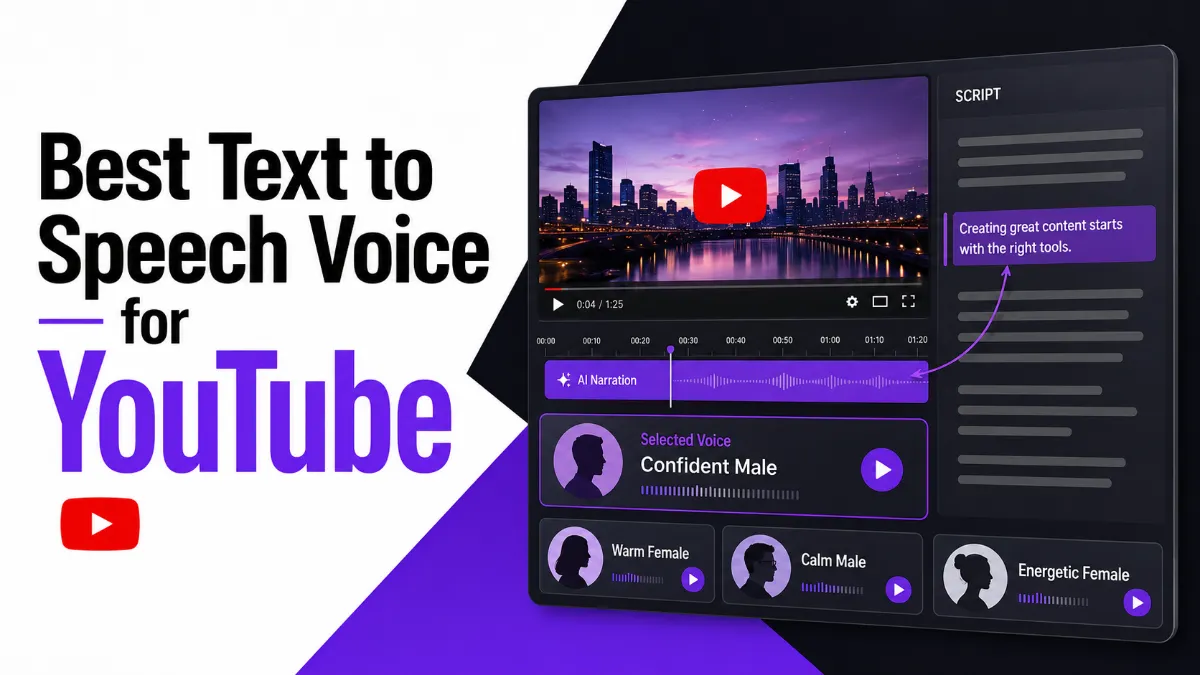
Match voice tone to content genre. Finance and educational channels tend to perform better with calm, authoritative voices. Entertainment and gaming channels benefit from energetic, conversational tones. Most tools let you preview a shortlist of voices — spend time testing at least five before committing.
Check naturalness on long texts. Short demos can mask robotic phrasing that surfaces in a five-minute script. Paste 300 words of your actual script content and listen to how the voice handles pauses, punctuation, and proper nouns.
Test pronunciation of niche terms. TTS engines sometimes mispronounce brand names, technical jargon, or non-English words. Most tools offer a pronunciation dictionary or phonetic override — verify this feature is available before subscribing.
Consider language and accent. If your channel targets a specific region (UK, Australia, India), pick a voice with a matching accent. Audiences respond better to voices that feel culturally consistent with the content.
Think about voice cloning for long-term consistency. Tools like ElevenLabs let you train a custom voice from a small audio sample. If you plan to run a channel for years, a cloned voice ensures every video sounds like the same person — even if you switch TTS providers.
If your goal is personal listening rather than video production — for instance, converting articles and newsletters into audio for your own commute — AI Listen is a separate tool built specifically for that use case. It is worth keeping in mind as a complementary app alongside your YouTube voiceover workflow.

The short answer is yes — but with important caveats.
YouTube's monetization policy does not ban AI or TTS voiceovers. Thousands of channels using synthetic voices are part of the YouTube Partner Program and earn ad revenue every month. What YouTube does penalize is content that is low-effort, auto-generated, and repetitive — for example, a channel that uploads hundreds of nearly identical videos produced entirely by AI with no human editorial input.
The safe path to monetization:
Write original scripts. Do not copy-paste content from other sources. Your script must add genuine value — analysis, a unique angle, updated information, or a useful tutorial.
Pair TTS audio with original visuals. Use custom graphics, screen recordings, original footage, or well-curated stock video. Channels that use the same stock clips across every video get flagged.
Disclose AI content where relevant. YouTube's updated policies encourage creators to label AI-generated content, especially realistic synthetic voices. Being transparent protects your channel in the long run.
Avoid voice impersonation. Never use a voice that mimics a real celebrity, politician, or public figure without explicit written permission. This violates both YouTube policy and the TTS platform's terms of service.
Following these principles, a well-run faceless channel using TTS voiceovers can be monetized without issue.
Here is the complete workflow from script to published video:
Step 1 — Write and finalize your script. Write the full script in a plain text document. Include natural pauses (use commas and periods deliberately), spell out abbreviations, and flag any terms you want to check for pronunciation. Aim for around 130–150 words per minute at a comfortable speaking pace.
Step 2 — Generate the voiceover. Paste your script into your chosen TTS tool. Select your voice and adjust the speed (most creators use 95–105% of the default speed for natural pacing). Generate the audio and listen to the full output before exporting. Fix any mispronounced words using the tool's phonetic or SSML controls.
Step 3 — Export the audio file. Download as MP3 (192 kbps minimum) or WAV. Save the file with a clear name that matches the video title or script version.
Step 4 — Import into your video editor. Open your project in DaVinci Resolve, CapCut, Adobe Premiere Pro, or your preferred editor. Import the TTS audio file and drag it onto the audio track. Align it with your visual timeline.
Step 5 — Sync audio and visuals. Use the audio waveform as a guide to cut or trim B-roll, screen recordings, or slide transitions. Add music at 10–20% volume underneath the voiceover to increase engagement. Export the final video and upload to YouTube.
This entire process — from finished script to exported video — can be completed in under an hour for a 5-minute video once you have your workflow established.
Copyright is one of the most common concerns for creators using TTS voiceovers. Here is what you need to know:
TTS-generated audio is generally royalty-free for commercial use. All the major platforms (ElevenLabs, Murf, Fliki, TTSMaker, Luvvoice) include a commercial-use license in their paid plans. This means the audio you generate is yours to use in monetized YouTube videos. Check the specific terms for free plans, as some restrict commercial use.
You own the voiceover output, not the underlying voice model. The TTS provider owns the AI model; you own the audio file you export. This is similar to hiring a voice actor — you own the recording, not the actor's voice.
Watch out for voice similarity to real people. Some TTS platforms offer voices that sound similar to public figures or celebrities. Using these voices in a commercial context without permission is legally risky and violates most platforms' terms of service.
SSML and script content are your IP. The script you write and the SSML markup you apply are your original work and protected by copyright. The generated audio derived from your script is part of your creative output.
YouTube's AI content policy focuses on disclosure, not prohibition. YouTube requires creators to disclose "realistic" AI-generated content — particularly faces, voices, and events. A synthetic voice used straightforwardly in a tutorial or listicle video typically does not trigger mandatory disclosure, but when in doubt, adding a brief note in the description costs you nothing and protects your channel.
The best text to speech voice for YouTube in 2026 depends on your budget, content type, and how much realism you need. TTSMaker and Luvvoice cover most use cases for free. ElevenLabs is the top choice when voice quality is the priority. Fliki and Murf are ideal if you want an integrated production workflow.
Whichever tool you choose, the fundamentals remain constant: write original scripts, pick a voice that matches your channel's tone, and follow YouTube's content policies to keep your monetization intact. If you also consume content yourself alongside your production work — research articles, newsletters, scripts from other creators — AI Listen handles the personal listening side without any overlap with your production stack.