If you have ever spoken notes into a recorder, narrated an idea while walking, or tried to turn voice into text faster than typing, you have already used the core idea behind a dictation machine.
The term may sound old-fashioned, but the need is not. Professionals, students, creators, and everyday users still want the same thing: a faster way to capture information without typing every word. What has changed is the technology. The traditional dictation machine has evolved from tape-based hardware into digital recorders, speech-to-text tools, and AI-powered apps that can read, transcribe, summarize, and organize content across devices.
Understanding what is dictation machine technology today means looking beyond legacy office hardware. It now includes a broader ecosystem of voice recording, digital dictation, transcription, and audio reading tools.
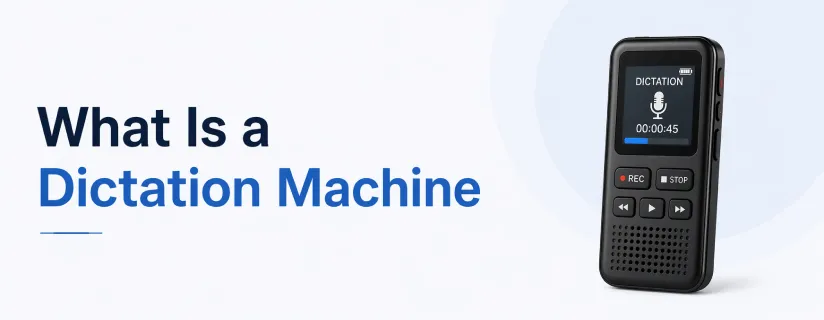
A dictation machine is a device or software tool used to record spoken language so it can be reviewed, transcribed, or turned into written content later. Historically, this meant dedicated dictation recorders used in offices, hospitals, and legal environments. Today, the term also includes digital voice recorders, mobile apps, speech recognition tools, and AI transcription software.
At its simplest, a dictation machine helps users do three things:
Capture speech quickly
Preserve spoken information accurately
Convert it into a more usable format
That usable format could be a typed document, meeting notes, medical records, legal drafts, lecture notes, or spoken playback for easier review.
Older dictation machines were typically standalone hardware devices. Users would record speech onto tapes or internal storage, then hand the recordings off for manual transcription. These machines were reliable, but they came with limitations such as storage constraints, slower workflows, and extra administrative steps.
Modern dictation systems are much more flexible. They may include:
Digital voice recorders
Mobile dictation apps
Speech-to-text software
Cloud-based transcription tools
AI-powered platforms that summarize and organize content
This shift matters because most users today need more than just audio capture. They need ways to search, review, and process information faster.
A dictation machine works by recording spoken words and storing them as audio or converting them into text. The exact workflow depends on the tool, but the general process is similar across devices and software.
The microphone records speech in real time. This can happen through a smartphone, handheld recorder, headset, laptop, or desktop microphone.
The spoken content is saved as a digital audio file. Some tools keep the file for playback only, while others begin processing it immediately.
The recording may be:
Stored for later listening
Sent for manual transcription
Converted into text using speech recognition
Modern dictation software often includes file naming, playback controls, searchable transcripts, export options, and workflow integrations.
This is why the meaning of a dictation machine has expanded. Older devices focused mainly on recording. Modern solutions help users move from speech to usable information with less friction.
Even with keyboards everywhere, dictation remains useful because speaking is often faster and more natural than typing. For many users, dictation improves productivity without replacing typing entirely.
Thoughts move quickly. Dictation helps users record information the moment it appears, whether it is a legal memo, article draft, study note, or meeting summary.
Not every task needs to start with a keyboard. Voice capture is helpful when users are tired, multitasking, or trying to reduce repetitive strain.
Dictation tools can support users with dyslexia, mobility limitations, visual fatigue, or other reading and writing challenges. Voice-based workflows make content easier to create and consume.
Healthcare, law, education, journalism, and business operations all benefit from faster documentation. Dictation can reduce the time between speaking and producing a usable record.
The practical value of dictation machines becomes clearer when you look at real-world use cases.
Doctors and clinicians often use dictation for patient notes, reports, and medical documentation when speed and detail matter.
Lawyers and legal teams use dictation to create memos, contracts, letters, and case notes more efficiently.
Writers and researchers use dictation for interviews, field notes, observations, and early drafts when typing would slow them down.
Students may dictate summaries, ideas, and lecture reflections, especially when they need a faster way to record information.
Dictation is also useful for reminders, journaling, brainstorming, to-do lists, and quick voice notes on mobile devices.
Classic dictation machines solved one problem well: recording speech. But most modern users need more than an audio file.
A simple recording can create extra work if you still need to:
Replay the file manually
Type out the content
Search for key details
Extract main takeaways
Convert written material into something easier to review
That is where older dictation workflows often fall short. They are strong on capture, but weaker on accessibility, organization, and post-capture usability.
If you are comparing dictation software or digital dictation tools, these features matter most.
The tool should handle everyday speech reliably, even when accents, pacing, or environment vary.
Users do not only work with voice. Many also deal with PDFs, Word documents, webpages, ebooks, and scanned materials.
Playback speed control, text highlighting, and synchronized reading can make review much easier.
Many important documents are scanned or image-based. OCR helps convert those into usable text.
Language flexibility matters for international teams, multilingual users, and learners.
Modern users often want more than raw transcription. They want tools that help them understand and act on content faster.
Many users searching for what is dictation machine are actually trying to solve a broader productivity problem. They want a better way to work with information, not just a better recorder.
That is why modern solutions often go beyond traditional dictation. For users who regularly deal with documents, articles, ebooks, and scanned files, an app like AI Listen Audio Reader can be more useful than a classic dictation device.
Instead of focusing only on spoken input, AI Listen Audio Reader helps users turn written content into spoken audio across formats such as PDF, Word, TXT, EPUB, webpages, and scanned images.
This makes it especially useful for people who need to move between reading, listening, and understanding more efficiently.
AI Listen Audio Reader is not a legacy dictation machine in the narrow hardware sense. It fits better into the modern voice productivity stack: tools that help users convert information into audio, reduce manual reading load, and process content faster.
Users can listen to reports, study materials, contracts, articles, and ebooks instead of reading everything on screen.
The app supports PDF, Word, TXT, EPUB, webpages, and image scanning, making it practical for real-world workflows.
With OCR support, image-based and scanned text can be converted into readable content and then played back as audio.
Support for 40+ languages makes the app useful for language learners, global teams, and users who consume content across multiple languages.
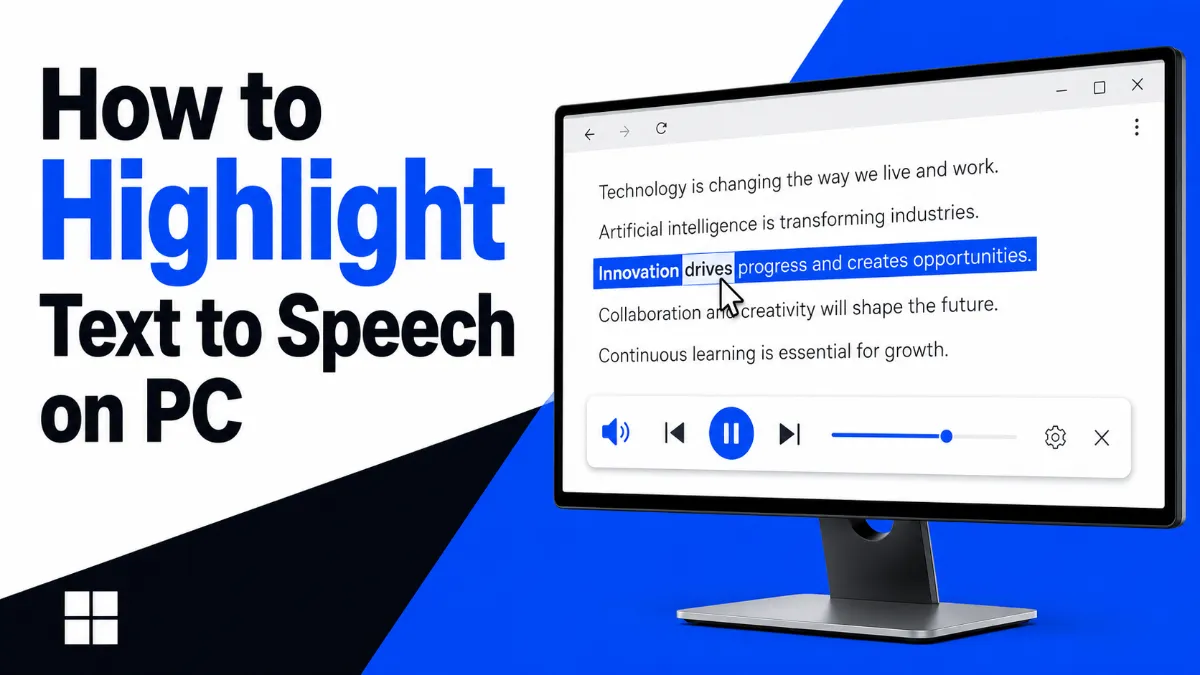
Text highlighting synced with audio playback helps users stay engaged and track content more easily.
Built-in AI summary and speed reading features help users grasp the main points faster, especially when working with long or dense material.
So, what is a dictation machine today? It is no longer just a dedicated recorder sitting on an office desk. It is part of a broader shift toward faster, more flexible, and more accessible ways to capture and process information.
For some users, basic dictation is enough. But for many others, the real need goes beyond recording speech. They also need better ways to handle documents, webpages, scans, and long-form reading. That is where AI Listen Audio Reader fits naturally.
If your goal is not only to record information but also to move through it faster, listen more effectively, and reduce reading friction across formats, a modern audio-first workflow is worth exploring.